QR invoices for Shopify
Your Swiss QR invoice, straight from Shopify
Facteado turns every order into an invoice with a Swiss QR payment part and sends it to your customers. You always see what is open, overdue or paid, at a fixed price with no fee per order.
7-day free trial · Billed through Shopify
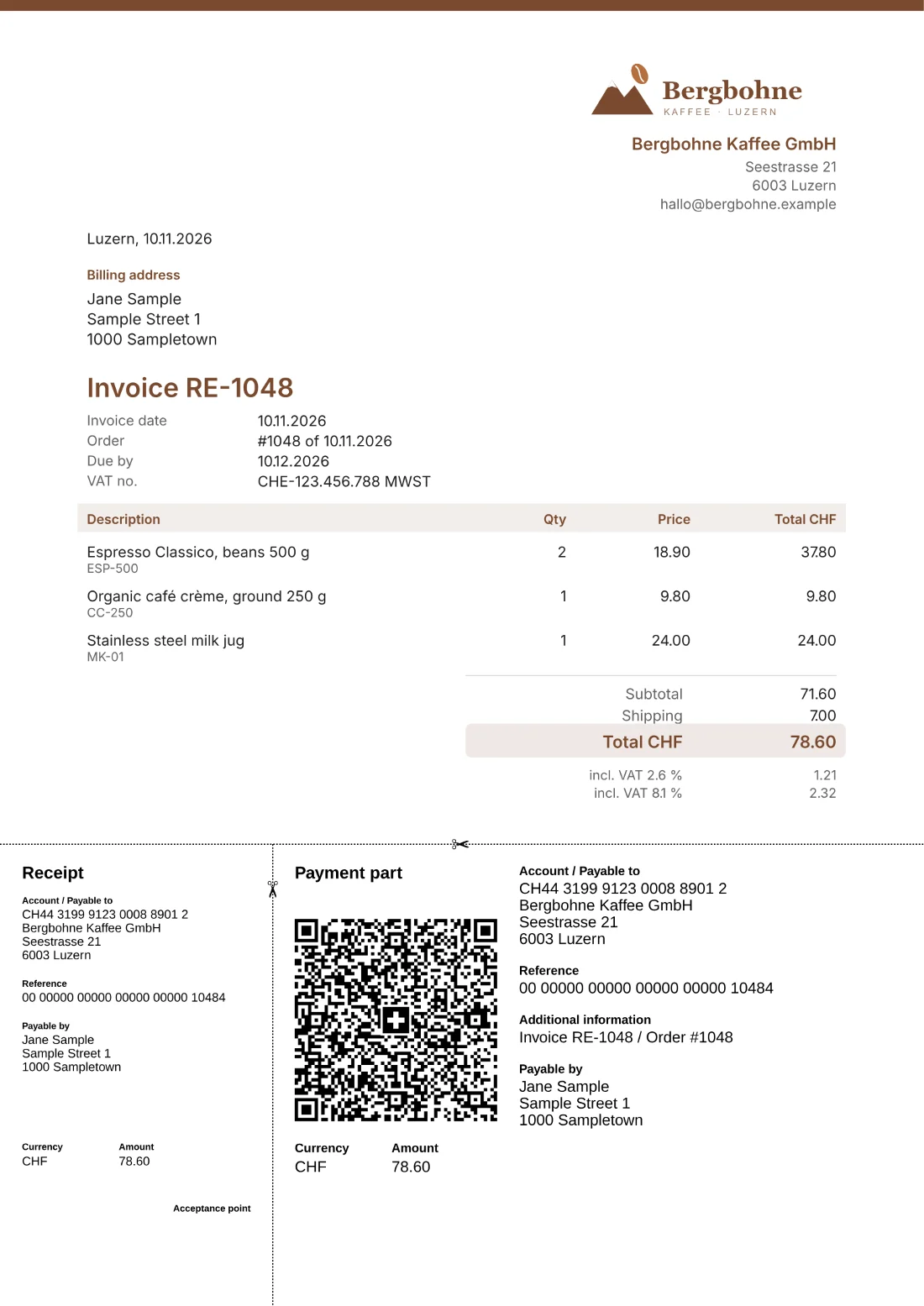
- QR payment part to the Swiss standard
- Deutsch · Français · Italiano · English
- Fixed price, no fee per order
- Reminders only when you click
Pay by invoice, without the paperwork
In Switzerland, many people prefer to pay by invoice. Facteado creates it from the Shopify order, with QR payment part, reference and VAT, in your customer’s language. They pay with one scan in their banking app.
The name comes from Faktura, facture and fattura.
What Facteado does for you
An invoice from every order
One click turns the order into an invoice with QR payment part, reference and VAT rates. With Plus, many at once.
Automatic at checkout
When the customer picks the payment method “Invoice”, the invoice is created right away and emailed with the PDF.
Always know what is open
Open, overdue, reminded, paid: every invoice has exactly one status. Filter by period, as a list or a board.
Remind with one click
You see overdue invoices at once. A reminder with a new QR payment part only goes out when you send it.
In four languages
Invoice, email and QR payment part in German, French, Italian or English, to suit your customers.
Your brand
6 templates with your shop’s logo, colour and fonts, plus the “QR invoice” button in the order confirmation.
Take a look
Real screens from the app, with a made-up example shop.
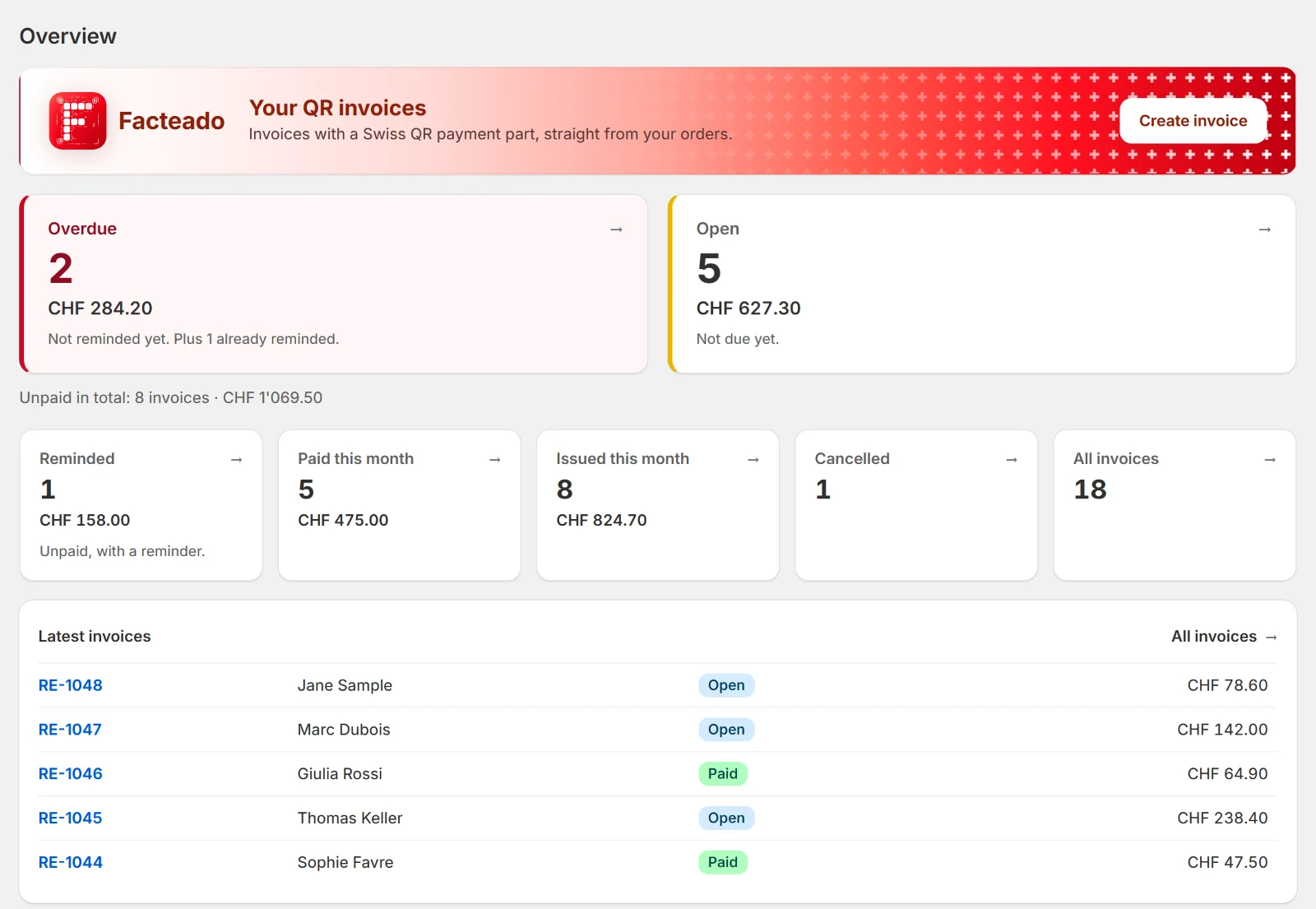
The overview
Overdue and open invoices first, below them what was paid and issued this month. Every figure opens the matching list.
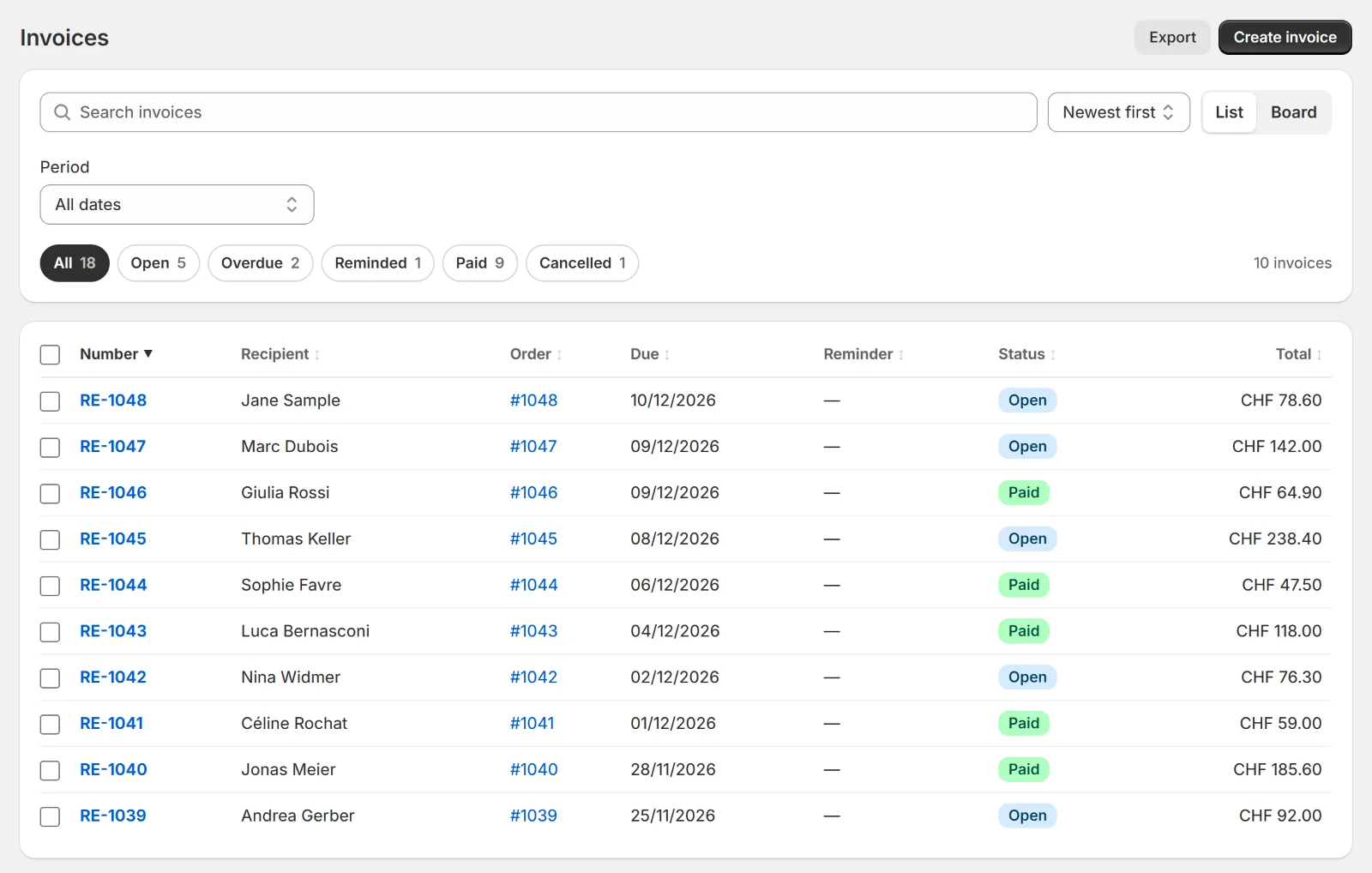
All invoices
Search, filter by status and period, mark as paid, send reminders or export for your accountant.
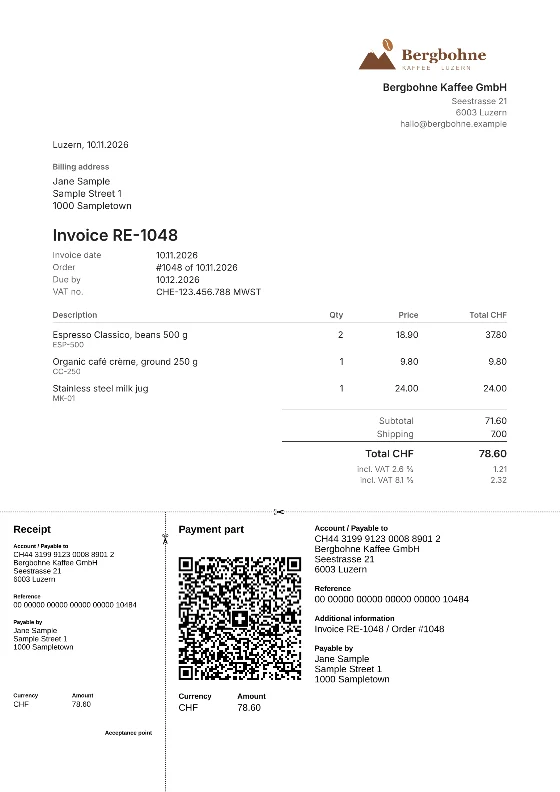
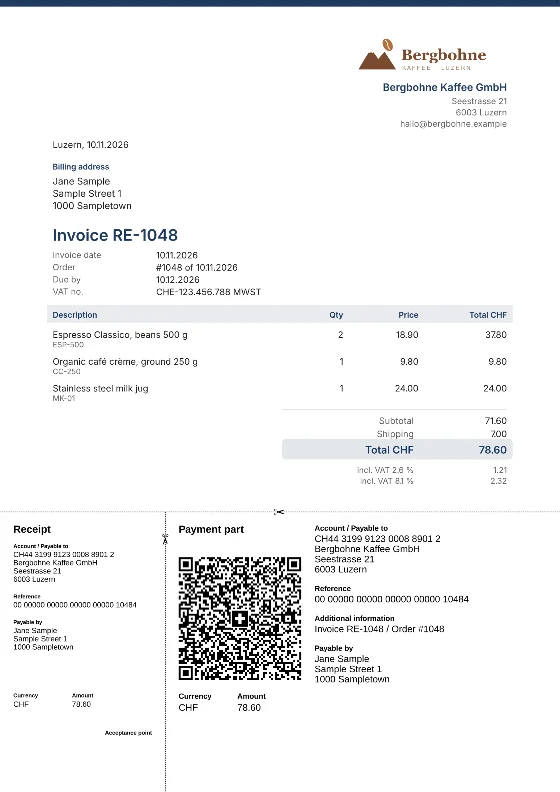
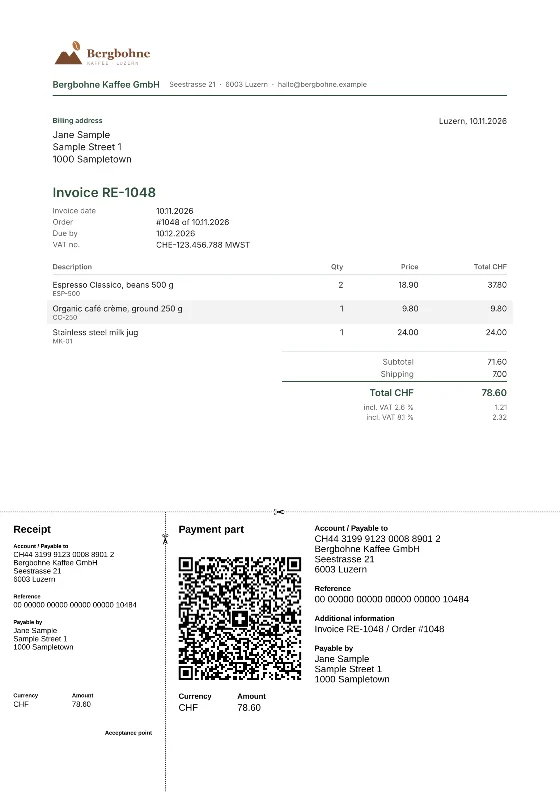
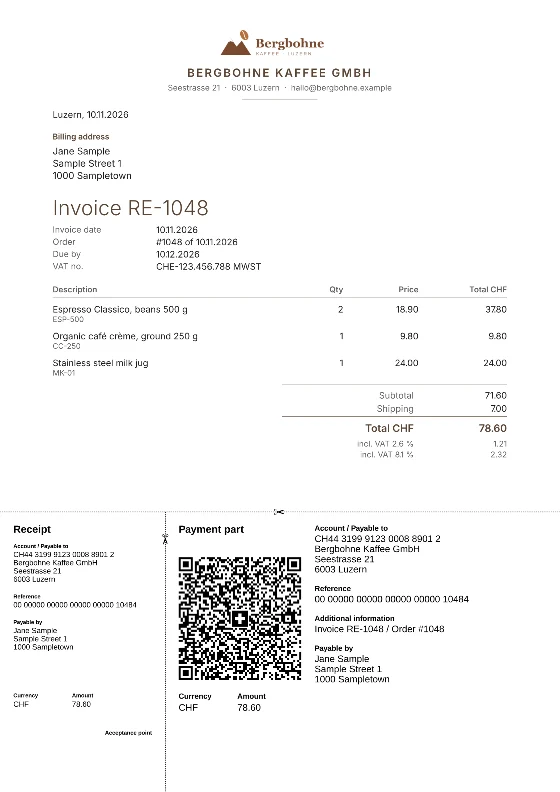
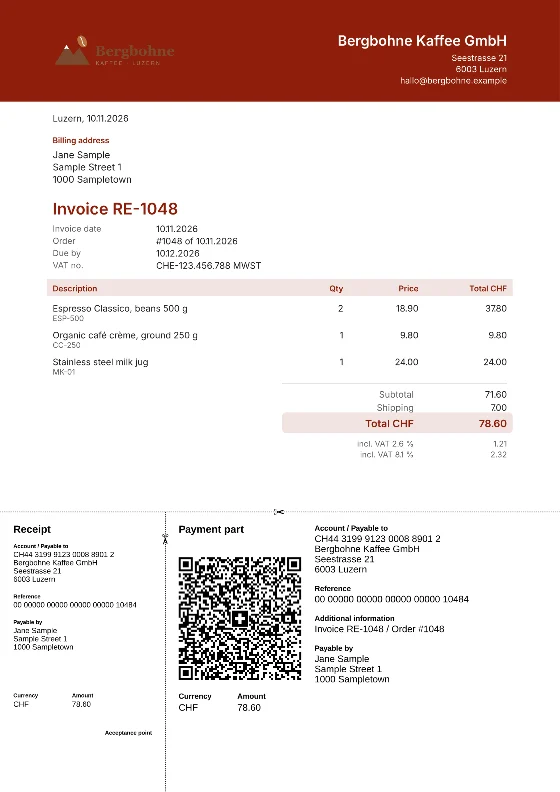
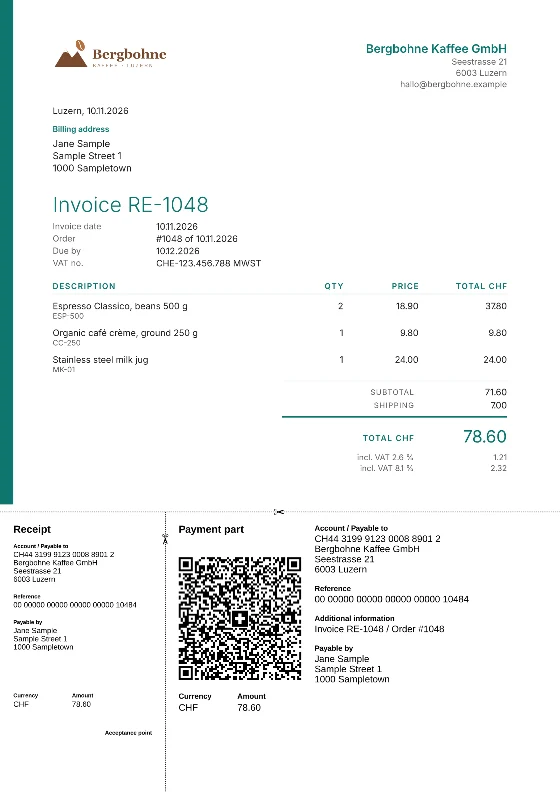
6 templates to choose from
From plain to bold, each with a Swiss QR payment part. Basic has 1 template, Plus 3, Premium all 6 with your own logo, colour and fonts.
Ready in three steps
Install the app
Enter your company, VAT number and IBAN. An assistant guides you.
Set up “Invoice” payments
Add a manual payment method in Shopify. Facteado shows you how.
Send invoices
By hand or automatically. Mark payments as paid with one click.
Simple pricing
A fixed monthly price, no fee per order. Try any plan free for 7 days; billing goes through your Shopify invoice, in US dollars.
Basic
For small stores: QR invoices from orders.
USD 6.99 / month
7-day free trial
- 50 invoices a month
- Invoice by hand from any order
- QR payment part to the Swiss standard
- Download as PDF
- Invoice by email to customers, PDF attached
- Invoice in DE, FR, IT or EN
- 1 template
- Mark as paid
- List of overdue invoices
- Invoice numbers without gaps
- Cancellation with a receipt
- Export for your accountant (ZIP and CSV)
- Help by email and contact window in the app
Plus
For day-to-day business, with reminders.
USD 14.99 / month
7-day free trial
- Everything in Basic
- 300 invoices a month
- Several invoices at once, also as one PDF
- Automation: the invoice is issued with the order and sent by email
- 3 templates to choose from
- Reminders in 3 levels with QR payment part, sent from the invoice
Premium
Unlimited, with your own logo and colour.
USD 29.99 / month
7-day free trial
- Everything in Plus
- Unlimited invoices
- Free-form invoice without an order
- Button «QR invoice» in Shopify’s order confirmation: the invoice is there at once
- Button «QR invoice» right after the purchase: on the thank-you and the order status page
- 6 templates with your own logo, colour and fonts
- Personal contact in German: your requests are answered first
Frequently asked questions
Do I need a QR-IBAN?
No, both work. With a QR-IBAN every invoice gets a QR reference that lets your bank match the payment. With a normal IBAN it gets an RF reference.
How do my customers get the invoice?
By email, with the PDF attached. With Premium also through the “QR invoice” button in Shopify’s order confirmation and on the thank-you page. You can also download and print every invoice.
Does Facteado notice when an invoice is paid?
No, there is no bank matching. You mark the invoice as paid with one click, and Facteado marks the order as paid in Shopify too.
Are reminders sent automatically?
No. Facteado shows you overdue invoices, but a reminder only goes out when you send it. Reminders come with Plus.
Does each invoice cost extra?
No. You pay a fixed monthly price: Basic includes 50 invoices a month, Plus 300, Premium unlimited. Cancelled invoices count, as they were issued.
In which language is the invoice created?
In your customer’s language, otherwise in your shop’s: German, French, Italian or English. When you create one by hand, you choose.
Can I choose the numbers?
Yes: like the Shopify order number or running from a start number of your own, each with your own prefix. Every number exists only once.